
Step 1: Login into CBVConnectU.com: https://www.cbvconnectu.com/cu/main.asp
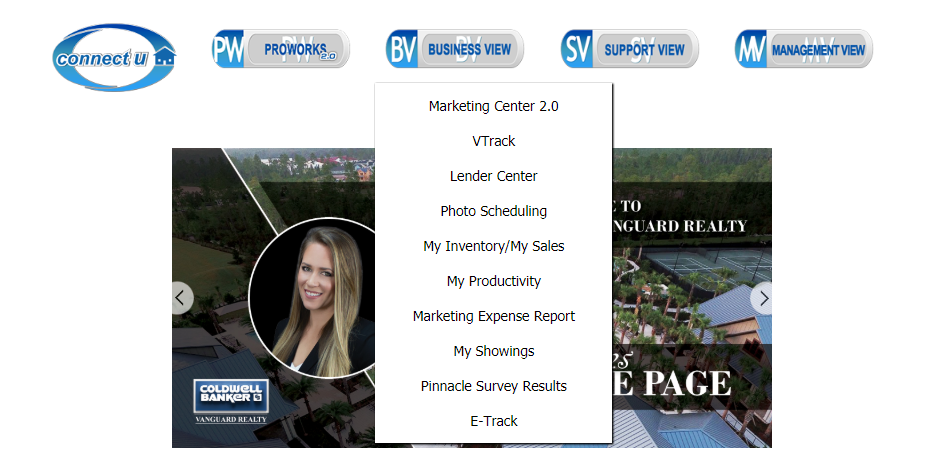
Step 2: Hover your mouse over the Business view and click VTrack.
Step 3: To check the status of your Property Marketing orders, click the big blue button that says “property marketing” under VTrack. If you want to check Personal Marketing orders, hit the “personal marketing” button under VTrack. Note: if the button is blue, it signifies that you are viewing that page.
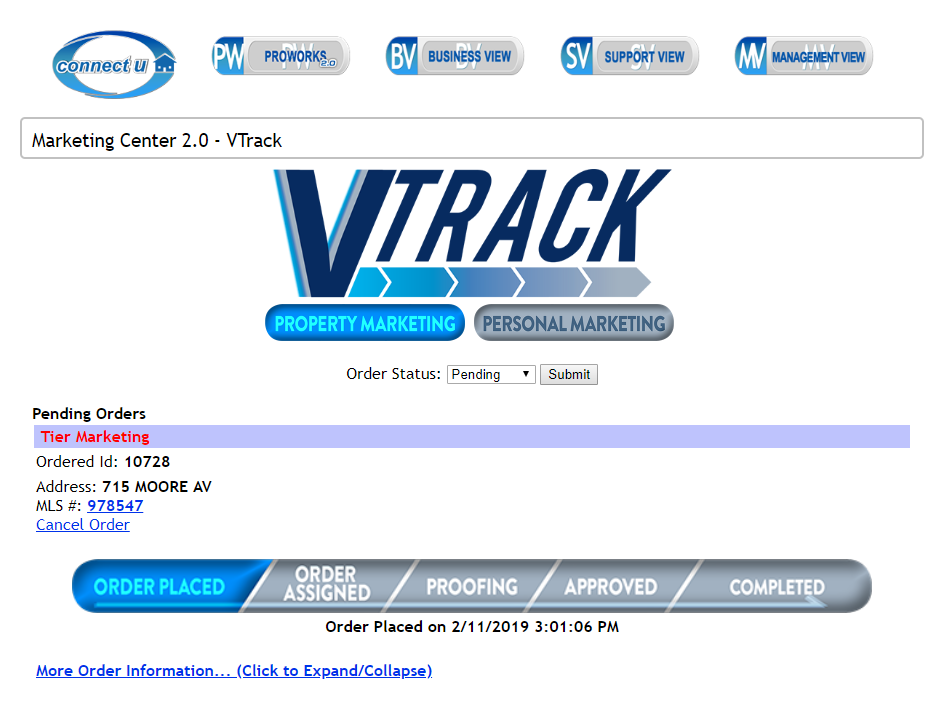
Step 4: To check an order that is not completed yet, make sure that the order status says pending. You can click the 'More Order Information' at the bottom to get details about your pending orders.
Step 5: Notice how the words 'Order Placed' is highlighted in blue (the status bar under cancel order). When a step is colored blue, that means it has been completed.
Step 6: To check an order that has been completed, click the order status drop-down menu and click the word 'completed'. Make sure to click submit afterward.
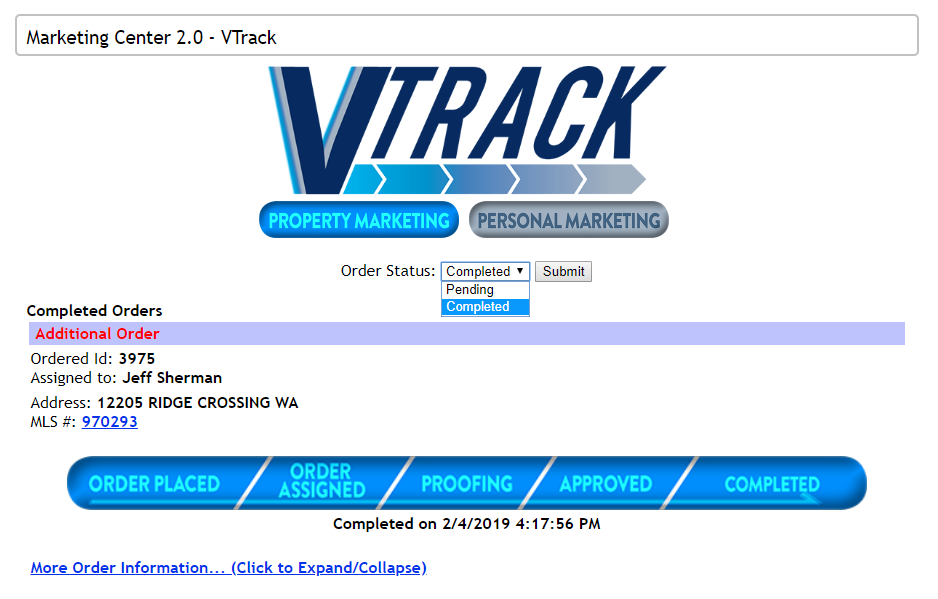
Step 7: An order will be billed after it has been completed. If you have any questions about any bill you receive, this would be a good place to check.
Comments
0 comments
Please sign in to leave a comment.